
Web Plus
1 year free
0,- €/month
- 15 GB Webspace
- 512 MB RAM
- unlimited Traffic
- Choose your domain like .at .at .com .net .eu ...
- PHP, Mysql
- 0,00 EUR (1 year)
Web Profi
nur 34,80€ year
2,90 €/month
- 50 GB Webspace
- 1 GB RAM
- unlimited Traffic
- Choose your domain like .at .at .com .net .eu ...
- PHP, Mysql
- multiple Domains
- 2,90 EUR / month
Web Ultra
nur 58,80€ year
4,90 €/month
- 100 GB Webspace
- 2 GB RAM
- 3 CPU
- unlimited Traffic (fastest connection)
- Choose your domain like .at .at .com .net .eu ...
- PHP, Mysql
- multiple Domains
- Dual hosting
- SSL
- 4,90 EUR / month
Web Premium
nur 118,80€ year
9,90 €/month
- 250 GB Webspace
- 4 GB RAM
- 6 CPU
- unlimited Traffic (fastest connection)
- Choose your domain like .at .at .com .net .eu ...
- PHP, Mysql
- multiple Domains
- Dual hosting
- SSD disks
- SSL
- 9,90 EUR / month
-

Rachiqua Doyle
Top Service! Weiter so.. Die Geschwindigkeit der Server ist optimal. Bisher hatte ich in den letzen 2 Jahren keinen Ausfall bemerkt.
-

Martin Weber
Zuverlässig und schneller Support Mit dem Angebot von Flatbooster bin ich sehr zufrieden.. Daumen hoch!
-
Bernd Leisinger
Problemlösung einwandfrei Kompetente, schnelle Bearbeitung von Problemen. Bin sehr zufrieden.
-
Susanne Lankert
Gefällt mir Durch einem Bekannten empfohlen, bin ich zu Flatbooster gewechselt und damit auch sehr zufrieden.
-
Alexander Kaiser
Wirklich Top Webspace! Ich bin schon seit mehreren Jahren ein Kunde bei Flatbooster und kann den Webspace nur weiterempfehlen. Der Preis und der Service sind Top!
-
Ernst Eder
Exzellente Kundenbetreuung Immer wieder bitten uns Kunden, schnell eine URL zu reservieren. Das machen wir grundsaetzlich mit Flatbooster.

| Company |
price comparison
1. year
2. year
|
Domain incl. | Homepage Maker | E-Mail Hosting | Wordpress Hosting |
|---|---|---|---|---|---|
| Flatbooster - Web Plus | €8,00€29,00 | yes | yes | yes | yes |
| One.com-Starter | €14,28€28,56 | yes | yes | yes | yes |
| Speicher Hoster - Basic | €19,99€39,00 | yes | yes | yes | yes |
| Wix-Combo | €99,00€99,00 | yes | yes | no | no |
Brands and products are trademarks of their owners. Prices and options were published at 23. December 2016. This comparison is based on webhosting products with comparable functions as flatbooster.com provides. The webhosting products include one .de Domain with 12 month contract.
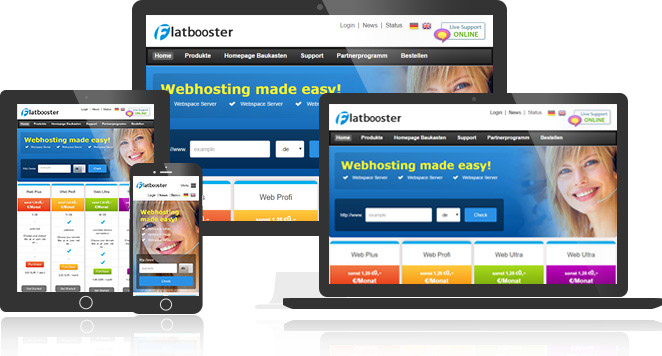
Build your own website with Flatbooster Website Builder
Webhosting for business and private customers. You can create and publish your website without knowledge (no coding!).







Personalized email with your own Domain Name!
Show your webseite in a professional way with your personalized emails and your own domain name in www.
Register your own domain and explore personalized email and website!
Information for Domain transfer.
If you already have a domain, please enter that name with our domainchecker. You may then order this domain as a domain transfer. We will assist you during the transfer process, that your domain will not come offline.
All domain prices including VAT. and including setup fees!
| Domain-Ending | Country / Description | Price EUR / year |
|---|---|---|
 .de .de |
Germany | 8.00 € |
 be be |
Belgium | 19.90 € |
 .nl .nl |
Netherlands | 19.90 € |
 .ch .ch |
Switzerland | 29.90 € |
 .at .at |
Austria | 19.90 € |
 .es .es |
Spain | 23.90 € |
 .eu .eu |
Europe | 14.00 € |
 .com .com |
Commercial (int.) | 14.00 € |
| .net |
Network (int.) | 14.00 € |
| .org |
Organisation (int.) | 14.00 € |
| .info |
Information | 19.90 € |
*Domain price is per year in EUR incl. 19 % VAT., No setup fees for the registration or transfer of the domain. The contractual terms for the domains listed here is 12 months (.uk domains 24 months), when using the annual payment method, 30 days' notice except .at domains with 60 days' notice. Domains may only be used in connection with our web hosting packages. No additional or hidden fees in our offers.